
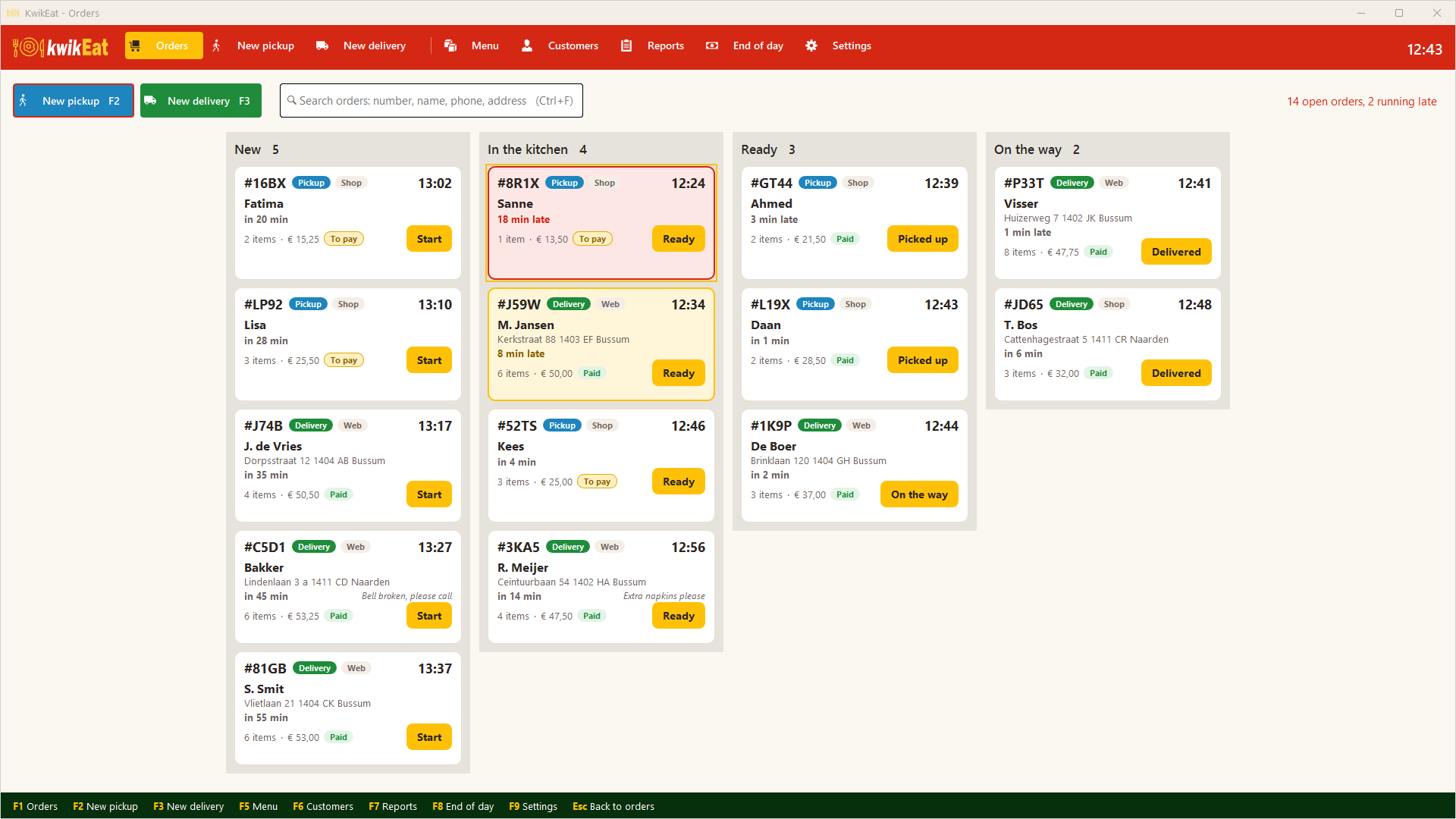
For more than 20 years AnyOrder took orders at the counter and on the phone in take-away and delivery restaurants. KwikEat Desktop is its successor: built from scratch for today's Windows PCs and tablets, with the way of working you know. Your menu, customers and couriers come along in one go.
Try it 14 days free next to AnyOrder. Happy with it? With your AnyOrder licence you switch at an upgrade price.
No Microsoft Store on your PC? Download the installer
Switching in four steps
Download KwikEat Desktop
From the Microsoft Store, on the same PC as AnyOrder. No Store on that PC? Use the installer. The first 14 days are free, and KwikEat keeps itself up to date.
Import from AnyOrder
In Settings (F9) → Links & security → Import from AnyOrder. KwikEat reads the AnyOrder data itself; AnyOrder can keep running.
Check your menu and try it
Take a few orders, print a receipt and a kitchen ticket. You use the same menu numbers as in AnyOrder.
Order your licence
With your AnyOrder licence, at an upgrade price. Then you just carry on with the same data.
What comes along, what stays, what's new
Your menu comes along
Groups, products, sizes and choices. Sizes AnyOrder had per product become one Size choice for the whole group where possible.
Your customers and couriers come along
Customers with their addresses (duplicates are merged), your couriers and your payment methods.
The way you're used to
Menu number and Enter: "3*12" puts number 12 on the ticket three times. Postcode and house number find the address and the customer.
New: touch screen and tablet
Big buttons for touch, and just as well used entirely with the keyboard.
New: combinations and deals
Pizza menus, half-and-half pizzas, sandwich deals and second pizza free on Thursdays.
New: reports and backup
Takings, best-selling products and busiest hours, also as PDF or Excel. A backup to the folder you choose.
Your upgrade price
KwikEat Desktop costs €399 a year excluding VAT. With your AnyOrder licence you pay less: when ordering, tick "I have an AnyOrder licence" and enter it; the order form shows your price straight away. That works with a licence that has expired too.
Questions about switching
Will AnyOrder keep working?
Yes. AnyOrder keeps running and we keep supporting it. But KwikEat Desktop does so much more that switching pays off: touch screen and tablet, combinations and deals, reports as PDF and Excel, backups and updates from the Microsoft Store.
Can I use AnyOrder and KwikEat side by side?
Yes. Install KwikEat Desktop next to AnyOrder and try it for 14 days; AnyOrder can keep running, also while importing.
What comes along from AnyOrder?
The menu (groups, products, sizes and choices), the customers with their addresses, the couriers and the payment methods. Old orders and the postcode table don't.
What about my old AnyOrder orders?
They stay in AnyOrder's data folder. Keep that folder: you have to keep those orders for 7 years for the tax authority.
What do I need?
A PC with Windows 10 or 11; 1920×1080 is ideal, a touch screen is fine. For the receipts a receipt printer, or an ordinary printer on A5 or A4. Try it with your own printer during the trial.
What does switching cost?
KwikEat Desktop costs €399 a year excluding VAT; with your AnyOrder licence, also an expired one, you pay an upgrade price. The order form shows your price.
Step by step, with screenshots: the manual. Can't work it out? Mail support@kwikeat.com.
Try it 14 days next to AnyOrder
Free of charge and without obligation. Import your AnyOrder data and see your own menu in KwikEat.
No Microsoft Store on your PC? Download the installer