
KwikEat Desktop is the successor of AnyOrder: a Windows application for taking orders at the counter or by phone, following them from the kitchen to the door, and closing your day. It runs on your own computer, also without an internet connection, and your customer and sales data stays with you.
KwikEat Desktop is available as a one-year subscription. Try it free of charge for 14 days first; renewing within two months before or after your licence expires qualifies for a renewal discount. Already using AnyOrder? Enter your AnyOrder licence when ordering and switch to KwikEat Desktop at an upgrade price.
Why choose KwikEat Desktop?
Entered in seconds
Menu number, Enter, done: "3*12" puts number 12 on the ticket three times. Choices with the number keys or on the touch screen.
Works without internet too
KwikEat Desktop runs on your own Windows PC. If the internet goes down, you just keep taking orders and printing tickets.
Your data stays with you
Your customers, orders and takings are on your own computer, not with a platform.
Everything on one board
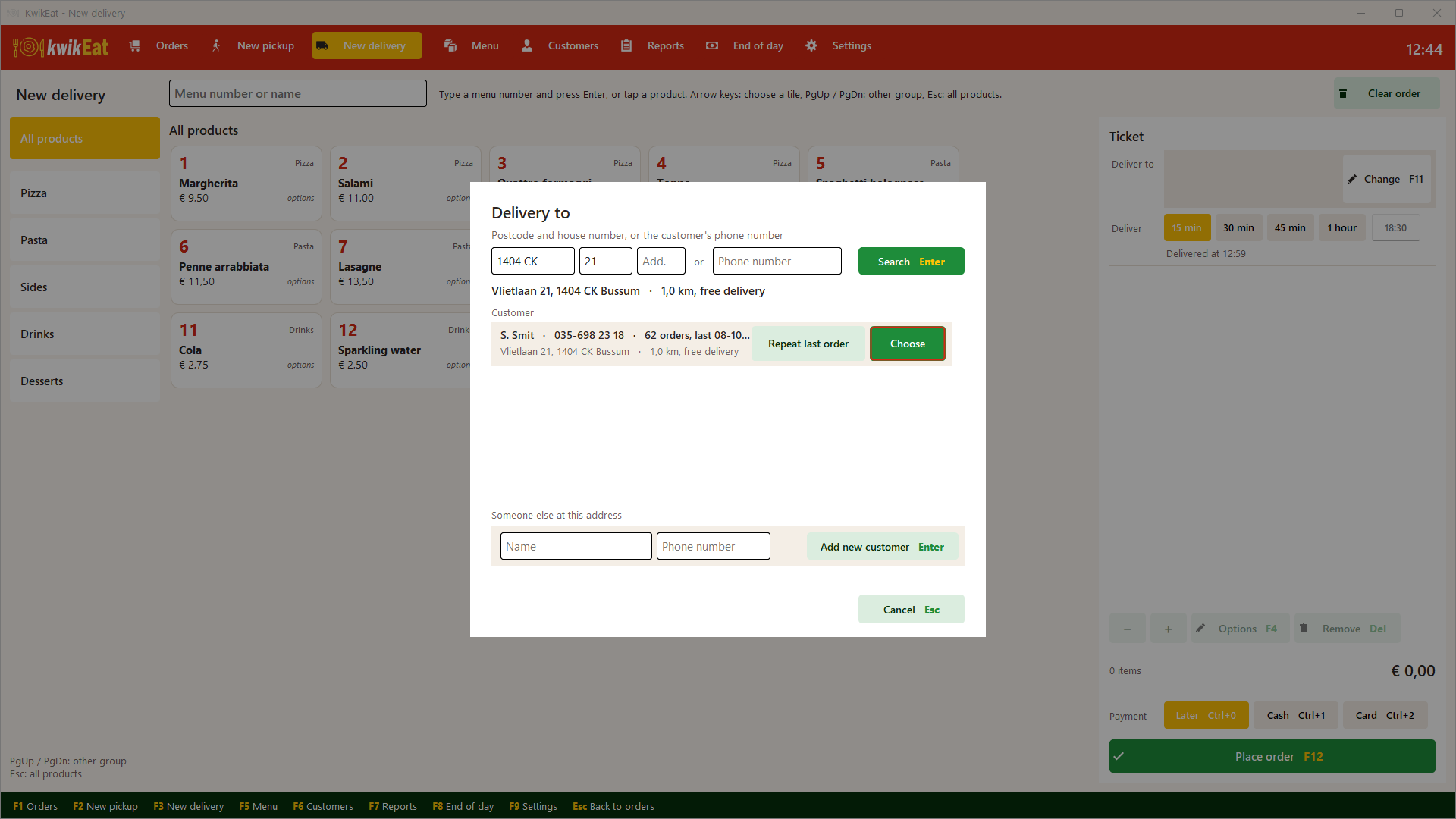
From new to on the way, with late orders in red, and the kitchen ticket straight to the printer.
A day that adds up
Cash count, takings per payment method and VAT at the end of the evening, ready for your bookkeeping.
Ready for online ordering
With KwikEat Online, online orders show up on the same board, and in Start you pay 3.5% commission instead of 5%.
Take orders the way you are used to
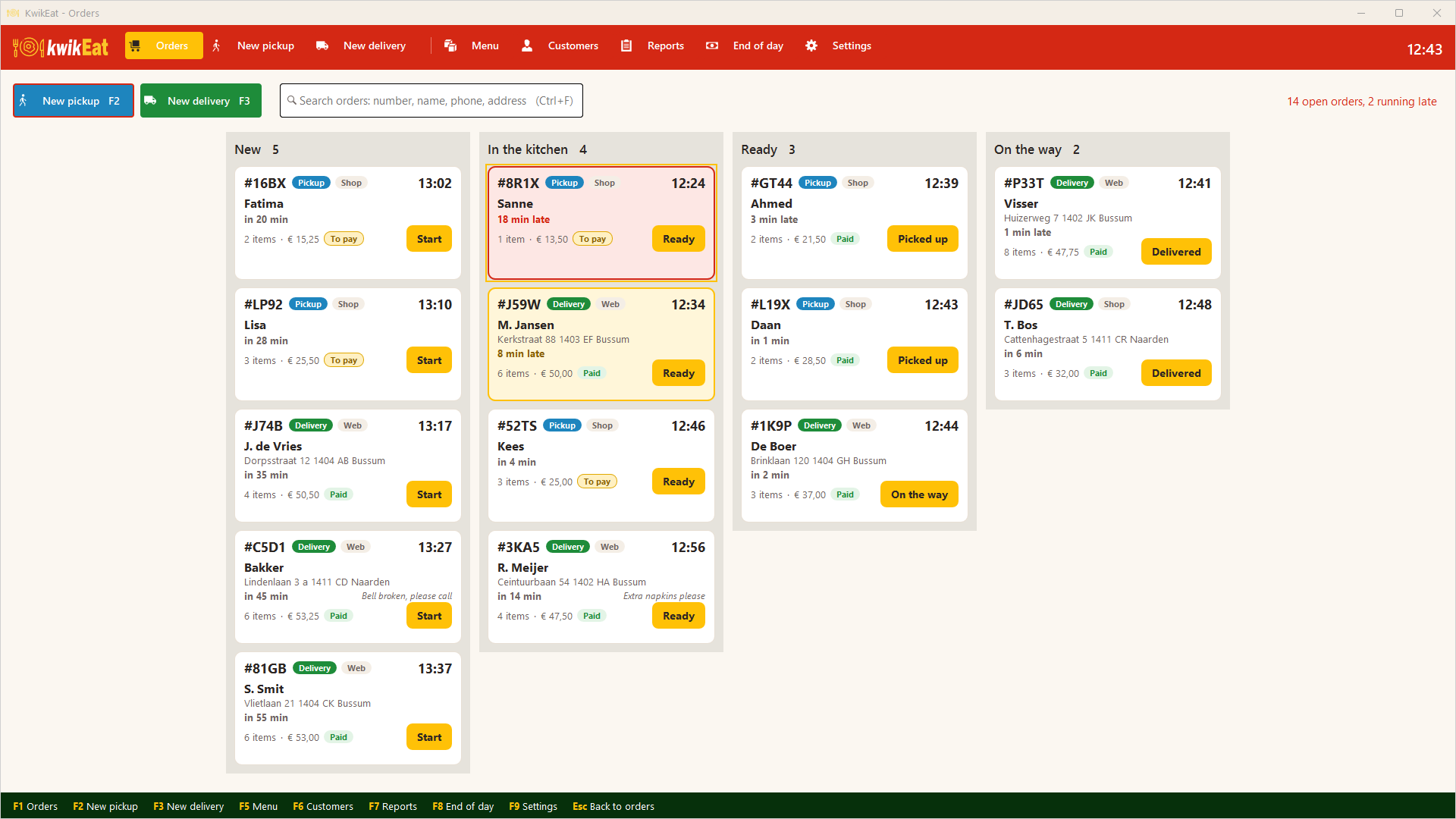
Do you use numbered menus? Type the number and press Enter. Choices such as size, crust or sauce are picked with the number keys, or tapped on the touch screen.
- Quick entry by menu number or name, with quantities: "2*1" is number 1 twice
- Required and optional choices per product or for a whole group, each with its own surcharge
- Ready in a quarter of an hour, half an hour or at a set time
- Cash, card or pay later; everything also works with shortcut keys
Delivery without searching
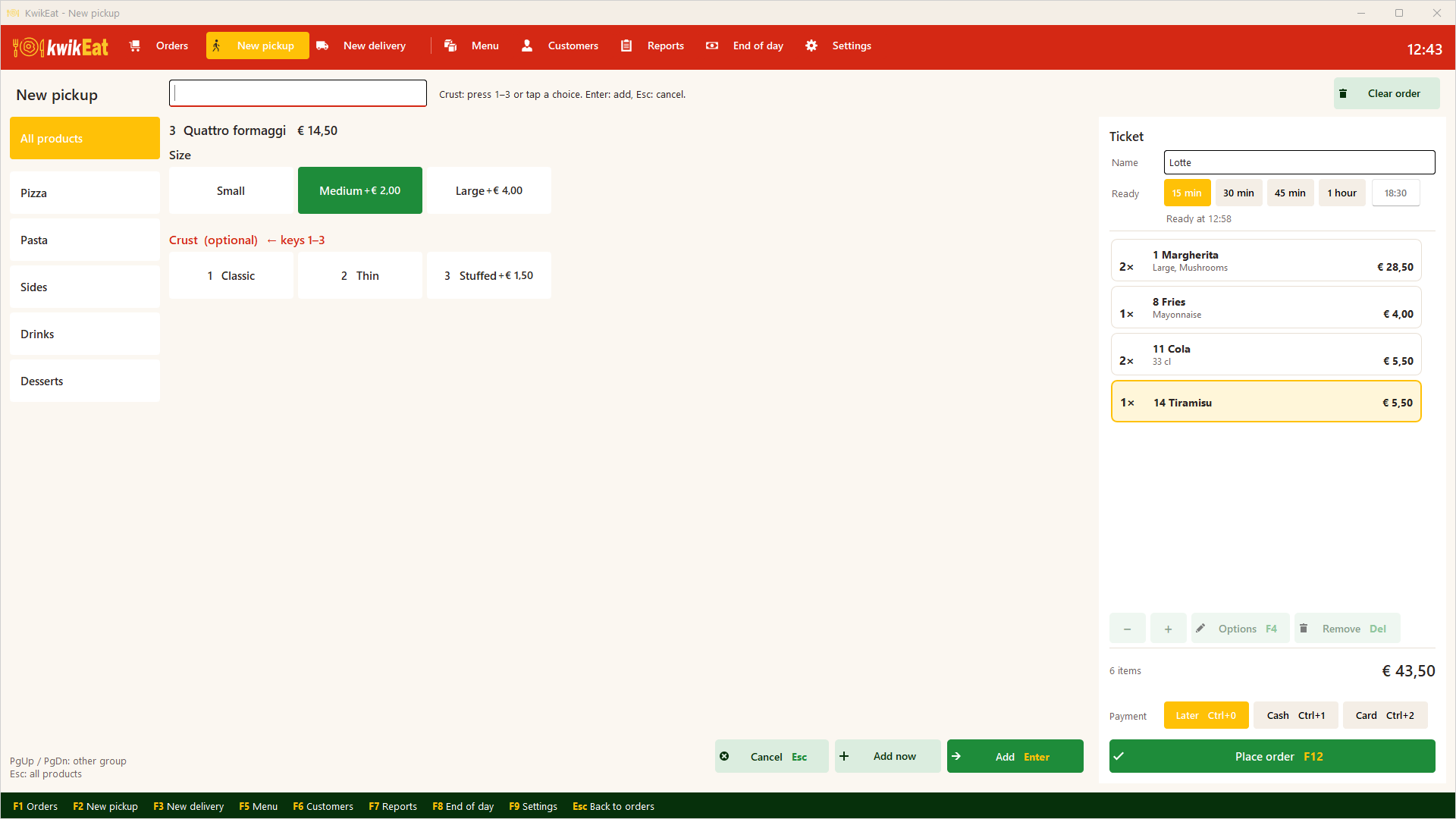
A postcode and house number are enough: KwikEat finds the address, the customer and their previous orders, and works out the distance and the delivery charge.
- A regular? "Repeat last order" puts everything on the ticket at once
- Delivery charges per distance zone, with a maximum delivery distance
- Searching by phone number works too
- Download the postcodes of your delivery area in one go
From the kitchen to the door
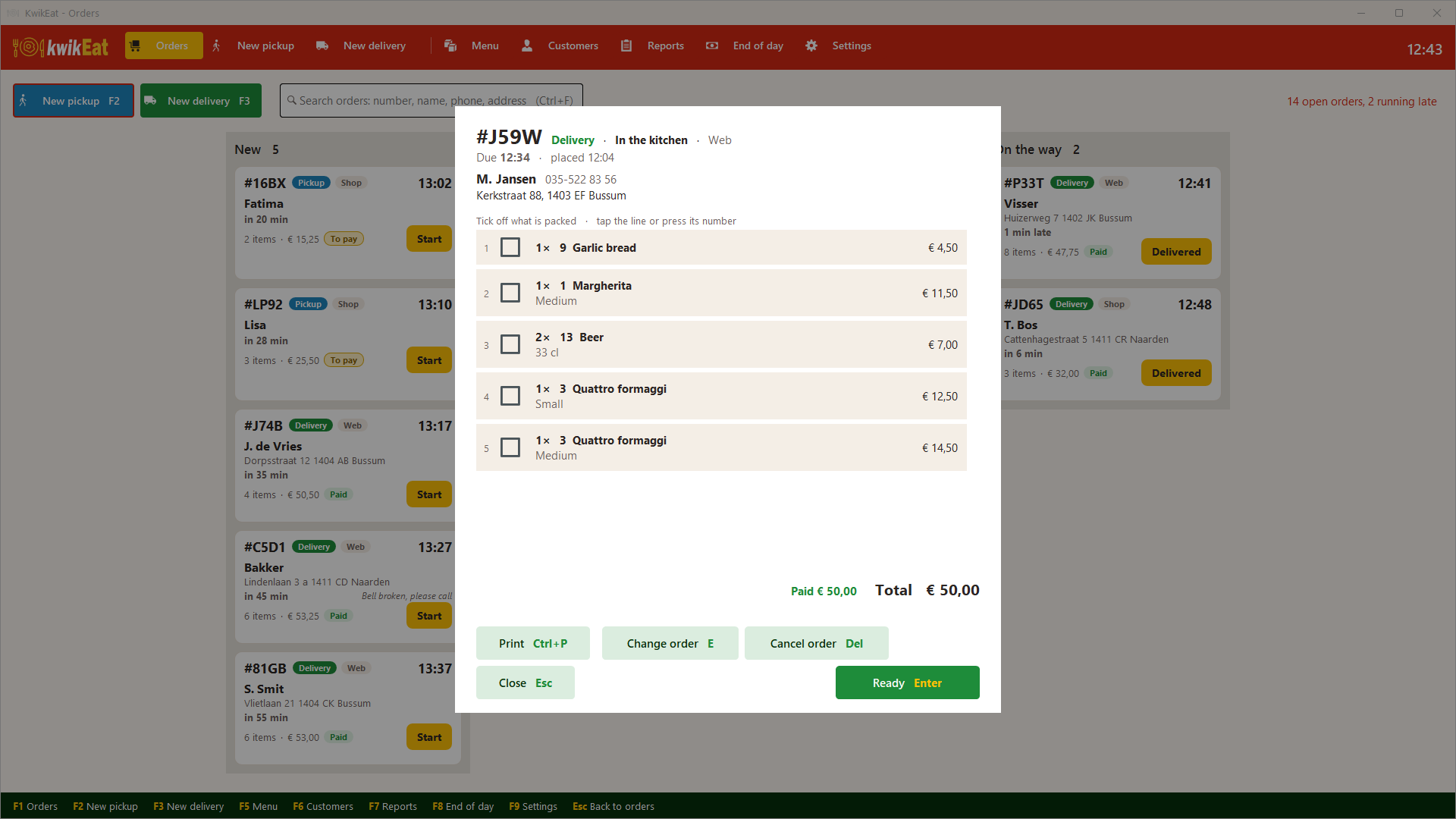
Every order moves on with a single tap: in the kitchen, ready, on the way, done. While packing, you tick off what is in the bag.
- Kitchen ticket without prices, when the order is placed or when it goes to the kitchen
- Change an order until it is ready; the kitchen gets a ticket with the change
- Cancel with a reason; a paid difference stays visible
- Reprint the receipt with Ctrl+P
Your menu in your own hands
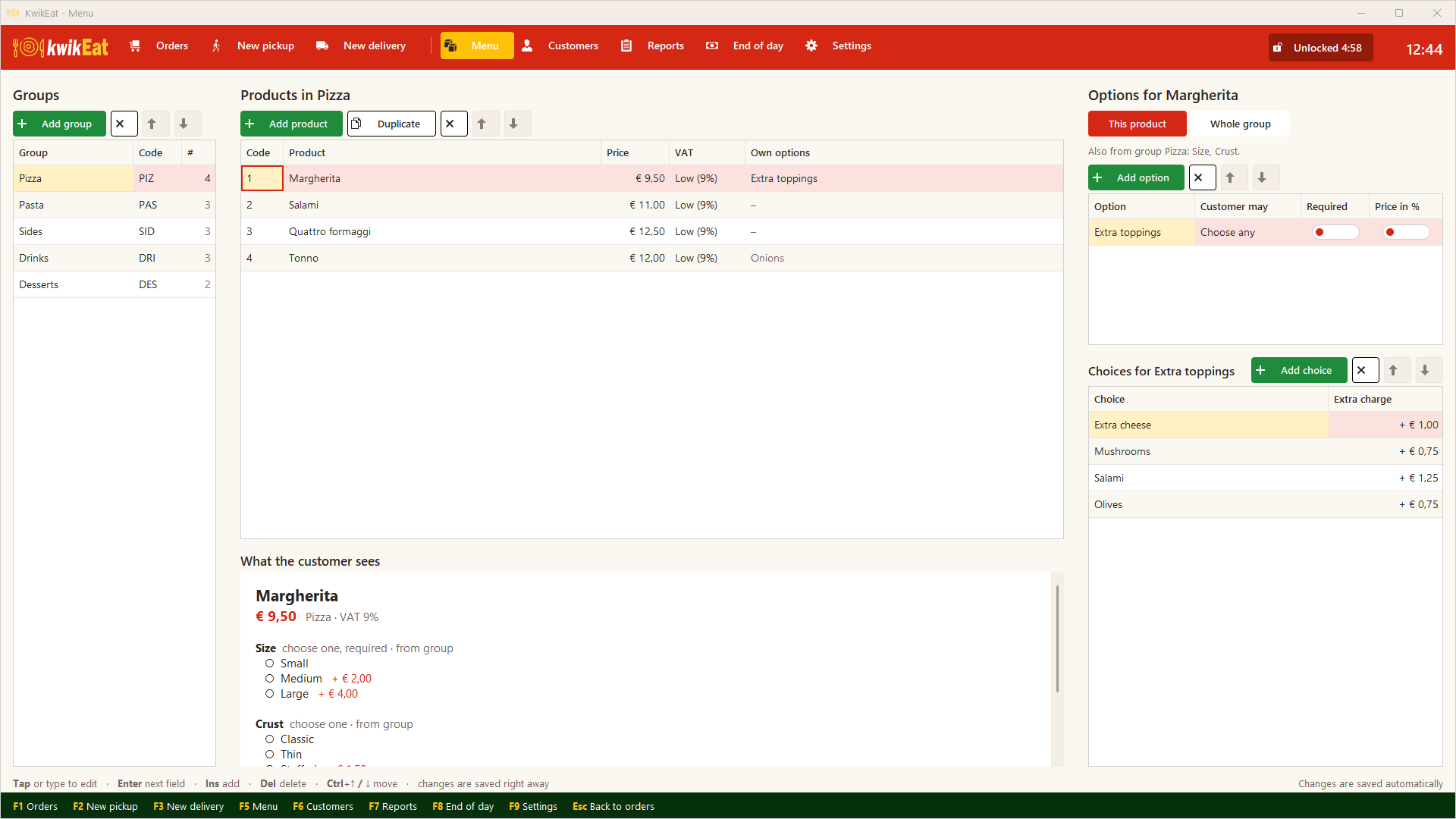
You manage groups, products, choices, combinations and surcharges yourself. Changes are saved straight away, and you see right away how the customer sees the product.
- Menu numbers per product, as on your menu
- Choices for a whole group (a size for every pizza) or for one product
- Two VAT rates, for example for beer
- Duplicate products and change their order with Ctrl+arrows
Know what you earn
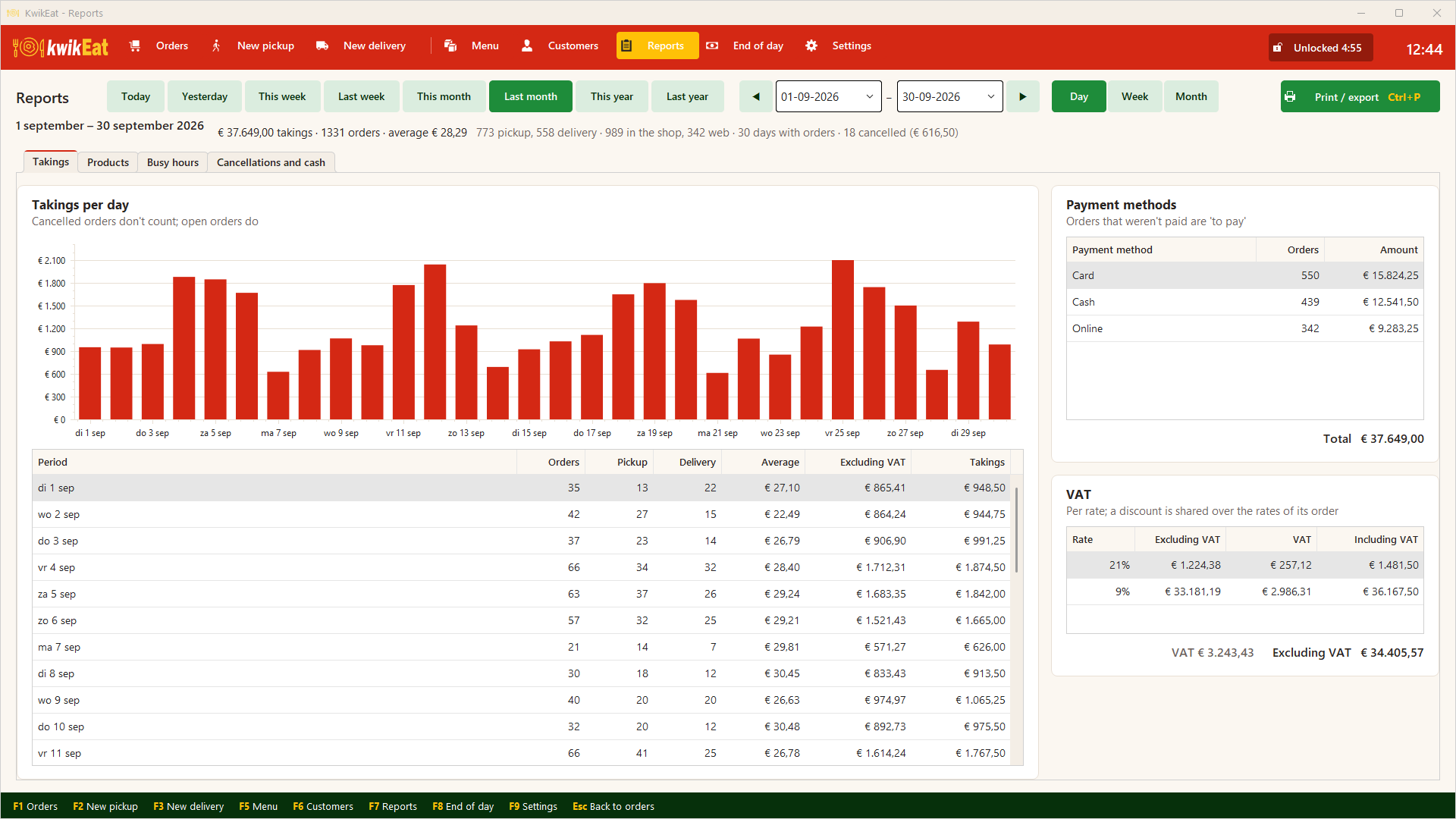
Takings per day, week or month, per payment method and per VAT rate. On screen, or as an A4 report to print or to export to PDF or Excel.
- Today, yesterday, this or last week, month or year in one click
- Best-selling products, groups and choices
- Busiest hours and days of the week
- Cancelled orders and cash differences at a glance
Close the day and have it add up
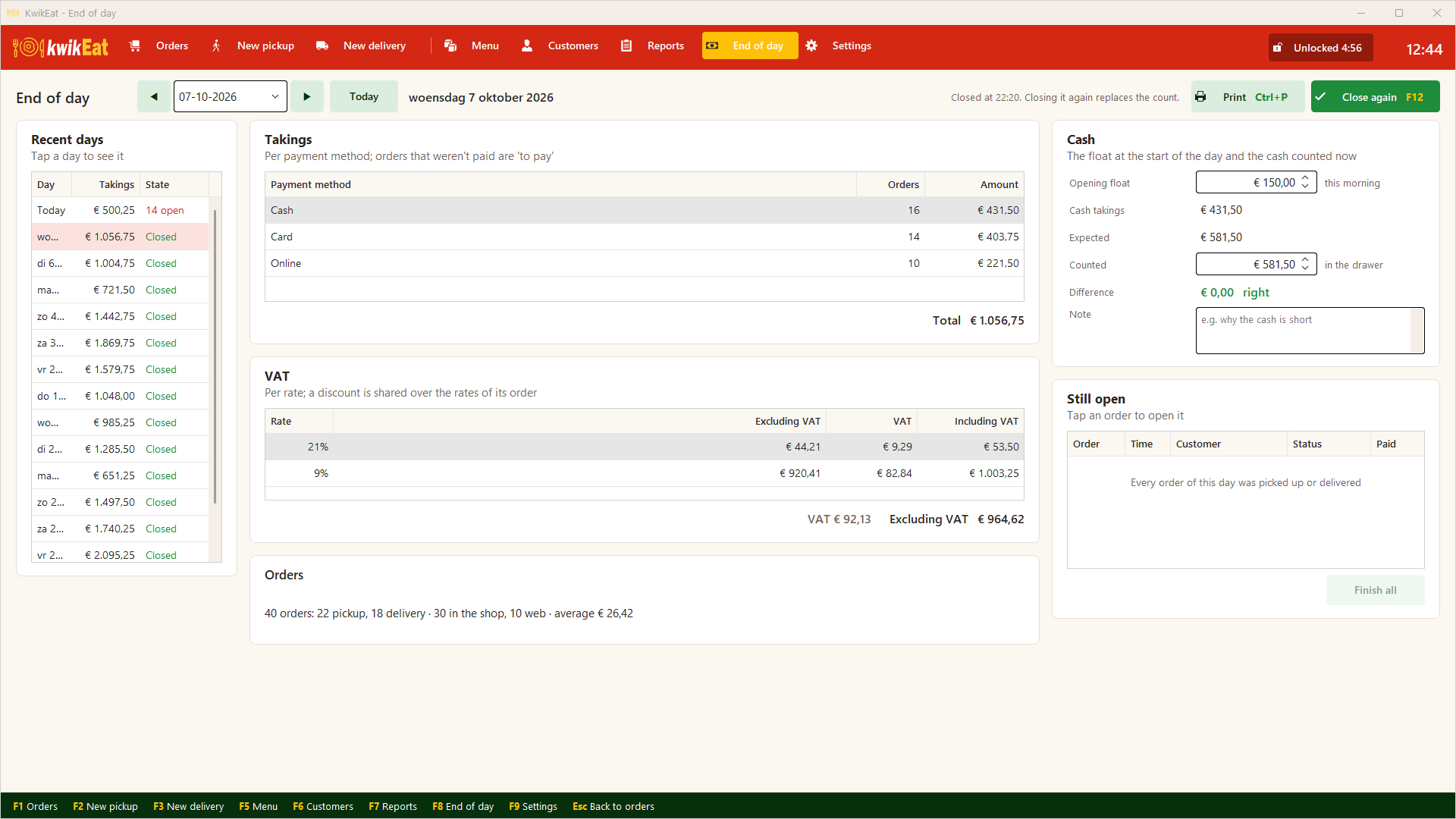
At the end of the day you count the cash: KwikEat knows the float you started with and what was paid in cash, and shows the difference.
- Float, expected cash, counted cash and the difference
- Open orders are listed and finished in one go
- Takings per payment method and VAT rate for your bookkeeping
- Print the day's summary and look back at earlier days
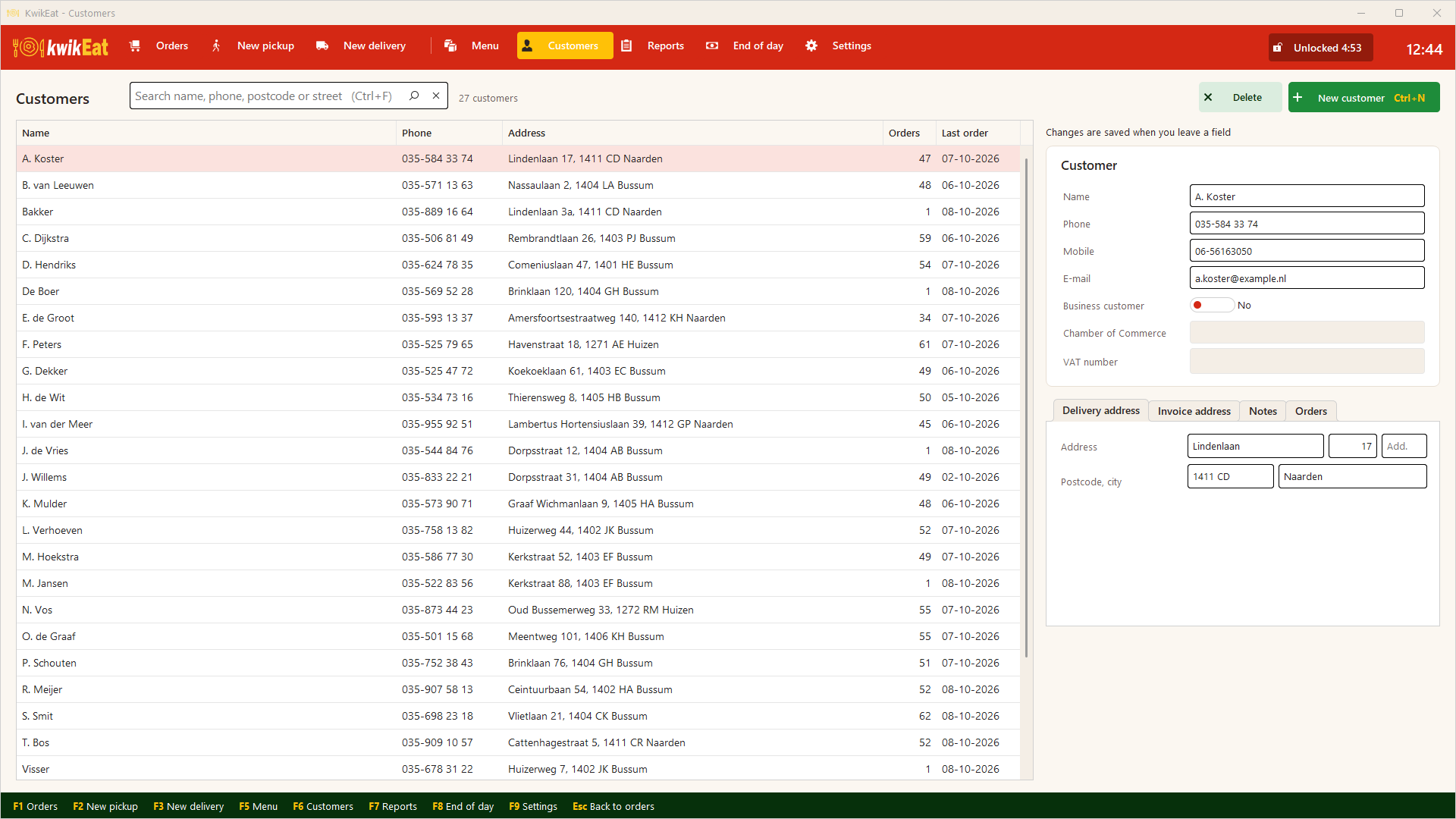
Your customers at hand
Every delivery customer ends up in your customer list by itself, with address, phone number and order history. Search by name, phone, postcode or street.
- Delivery and invoice address, also for business customers
- Notes per customer
- The number of orders and the last order date at a glance
And also
Online orders too
Link KwikEat Desktop to KwikEat Online: online orders show up on the board, their status goes back to your customer, and you publish your menu from Desktop.
A PIN per module
You choose which parts ask for a PIN, such as the menu, the reports and the end of day.
Straight to the printer
The receipt and the kitchen ticket print without a print dialog, on a receipt roll or on A5/A4.
Touch screen and keyboard
Big buttons for the touch screen, shortcuts F1 to F9 for those who prefer typing.
Try KwikEat Desktop for 14 days
Free of charge and without obligation. Happy with it? Order a licence and keep working with the same data.